
A Kontentino alternative for client approval
If you already have a calendar and a way to publish, use ApprovePost to send finished posts for client review. Clients see the caption and media together and can approve or ask for edits from one private link.
No credit card required. No client signup.
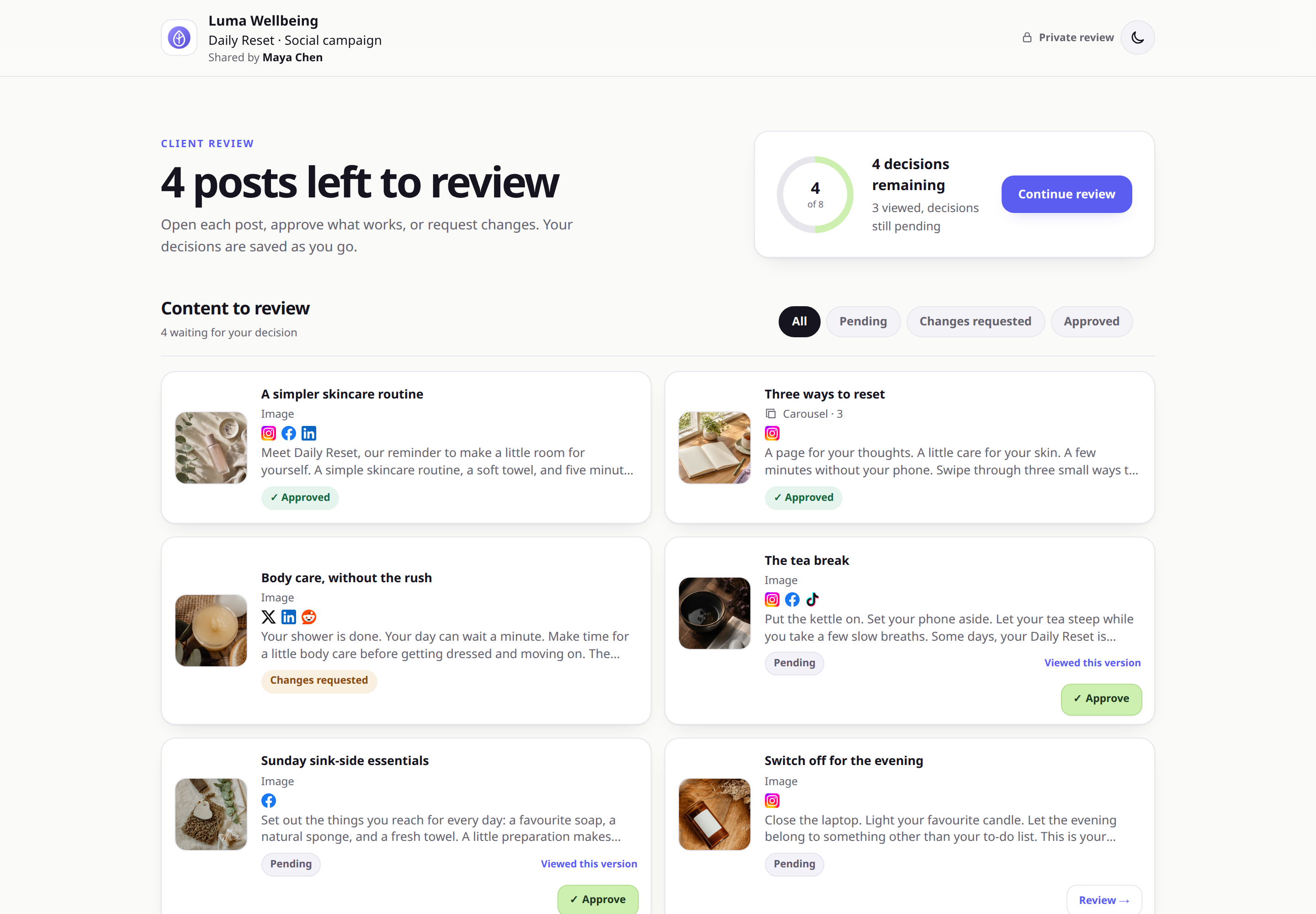
 Example client view
The client sees the posts in this batch and the decision on each one.
How client approval works in ApprovePost and Kontentino
| Feature | ApprovePost | Kontentino |
|---|---|---|
| Client access | Open a private link, enter a name, and give a decision on each post. | Send posts to people in the client role. Kontentino also offers sign-off through a link that opens without a login. |
| Review stages | One step for client sign-off after your own review. | Separate internal and client approvals. Starter includes internal approval. Client approval starts on Standard. |
| After approval | Move approved captions and media into the publishing tool you use. | Use the shared calendar to plan and publish to supported channels. |
| Monthly billing | Free plan. Pro is $12/month per account. | Starter starts at $83. Standard starts at $179 with 10 users and 40 social profiles. Prices in USD. |
ApprovePost publishes this comparison. We checked Kontentino’s pricing and help pages on . Kontentino plans and USD pricing, Kontentino approval roles, Kontentino’s guide to client links.
When is Kontentino Standard worth paying for?
Choose ApprovePost for the final client check
Your team already checks the work. You just need the client to sign off on the final image, video, or caption. Share a batch with the client and hand off the approved posts to whoever publishes them.
Choose Kontentino for both rounds of review
Keep Kontentino if your lead editor reviews drafts before the client sees them and the publisher works from the same calendar. Standard brings those tasks and client sign-off into one place.
Try the handoff with one campaign
Say you design three posts for a gym’s new class. Your editor checks the offer first. Add the three finished posts to a review and send the link to the gym owner.
The owner approves two posts and asks you to fix the class time in the third caption. Edit that post and send it back for review. Move the first two to your scheduler and hold the third until the new version is approved.
See what the client can do in the interactive review demo or read how social media client approval fits into your workflow.
Check your busiest week
Count the reviews that could be open at once. ApprovePost Pro includes 20 active reviews and up to 100 posts per review. See the Free and Pro plan limits.
Get the next batch ready for client review
Start with a few posts for one client. Send one link and see which posts are ready to hand off for publishing.
No credit card required. No client signup.