
A HeyOrca alternative for client review links
Both tools let clients sign off from a link without a login. Choose ApprovePost if you already have a calendar and just need client decisions on a set of finished posts. Choose HeyOrca if the client needs to review the calendar itself.
No credit card required. No client signup.
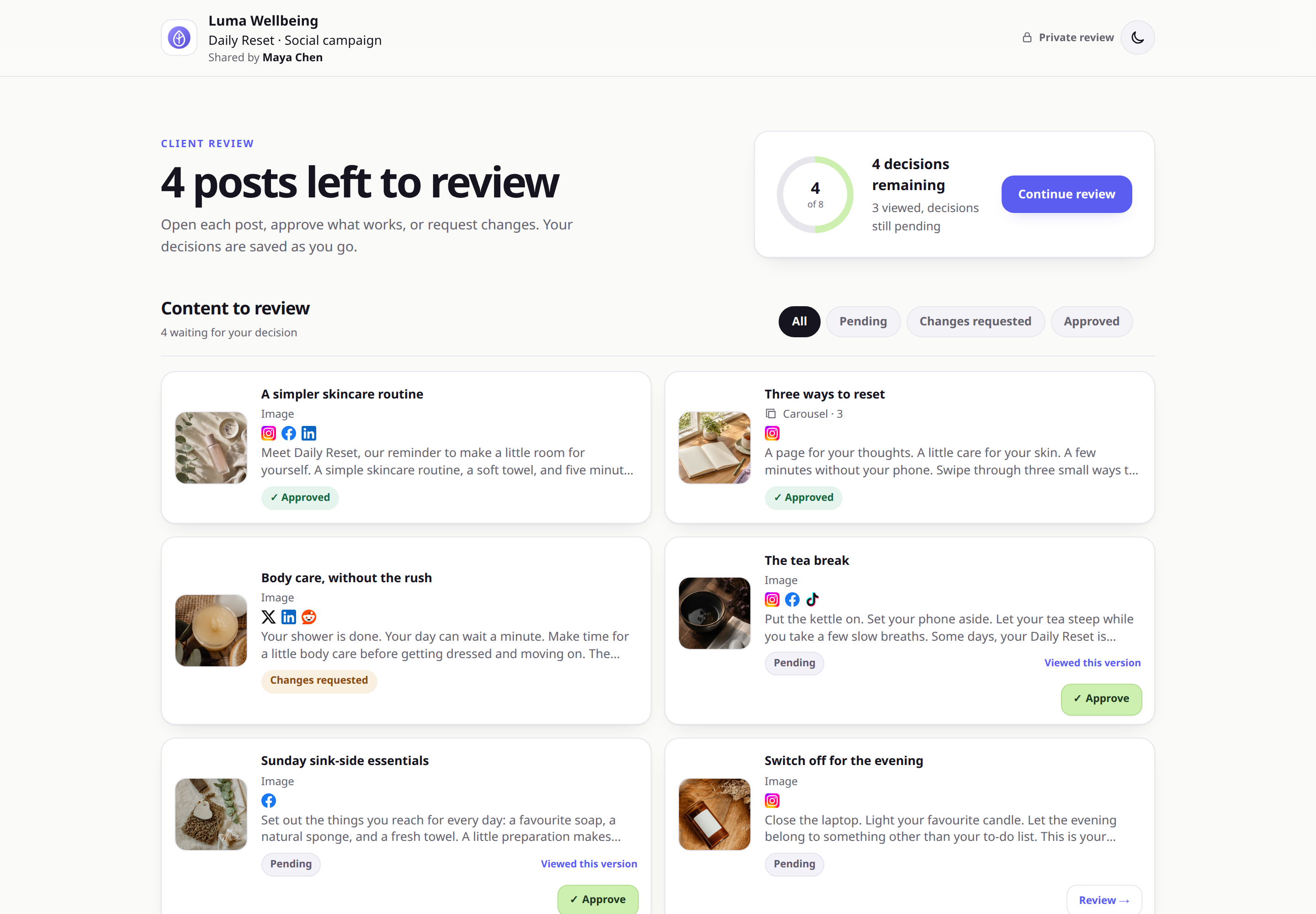
 Example client view
A client opens one link to see the posts you sent for review.
What do clients see in ApprovePost and HeyOrca?
| Feature | ApprovePost | HeyOrca |
|---|---|---|
| What you share | A private review link for the batch you send. | A link to selected posts or to a full calendar. |
| How clients decide | Enter a name and approve or request changes on each post. | Pick or add a name, then approve or ask for changes from the link. Workspace settings control which drafts clients can see. |
| Publishing and reports | Take each approved post to the scheduler and reporting tools you use. | Schedule from the calendar. Pro includes social reports. |
| Monthly billing | Free plan. Pro is $12/month per account. | Basic is $59 and Pro is $149 per calendar, at the 1–4 calendar monthly rate in USD. |
ApprovePost publishes this comparison. We checked HeyOrca’s pricing and help pages on . HeyOrca pricing, HeyOrca sharing settings, HeyOrca’s client approval guide.
Does your client need the batch or the calendar?
Use a batch link for a fixed set of posts
A client who asks “What do I need to approve this week?” can start with the review link. Use ApprovePost when the job is checking the posts, leaving feedback, and signing off before handoff.
Use a calendar when dates are part of the review
Keep HeyOrca if clients check how campaigns line up across the month or your team schedules from the same calendar. You can share a smaller set of posts from HeyOrca when the client needs a shorter list.
Price out three clients
Say you manage social for three shops, each with its own calendar. Three HeyOrca Basic calendars at the listed monthly rate cost $177 a month before tax. That covers scheduling and approval on those calendars.
If you already schedule all three elsewhere, price the approval step on its own. One ApprovePost Pro account costs $12/month and can hold 20 active reviews. Send each shop just its own batch. Keep the cost of your scheduler in the budget.
See which ApprovePost limits apply or compare more options in our guide to social media approval tools.
If you run several accounts, see how to set a review window for each client.
See the client’s side
In the client review demo, open a post, read the caption, and try asking for a change. You can see what a client sees before you invite one.
Send one link for your next client batch
Add the finished posts, share the link, and see each approval or change request as it comes in.
No credit card required. No client signup.