Get content approved faster without the email and chat chaos.
Just one link.
Share a review link. Your client approves or leaves feedback. No sign-up needed for them.
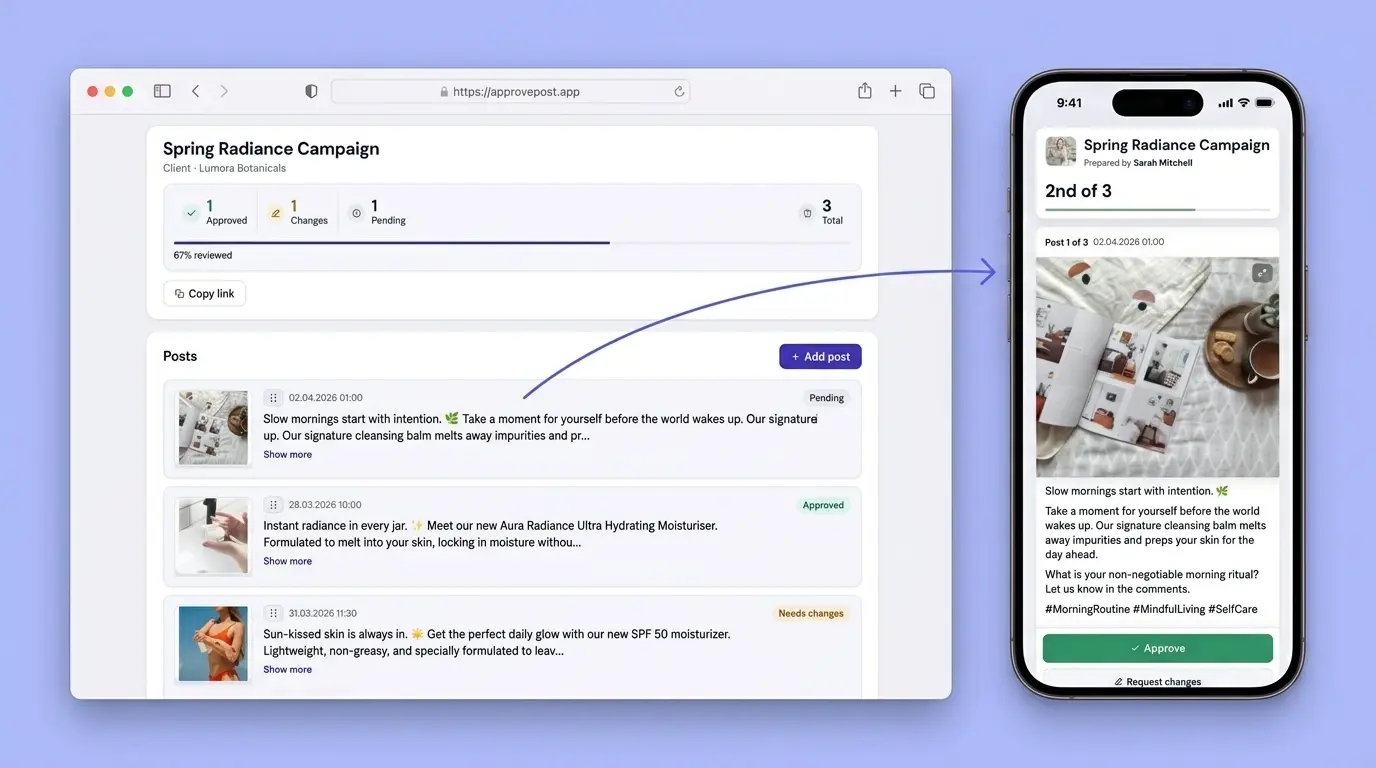
No signup needed for your client. Takes 30 seconds to send your first link.
Approvals get lost in chat
You know this routine. It happens every week.
Messenger chaos
Posts buried under 50 unread messages. Your client says "the second one" but you have no idea which.
Voice messages
"I recorded my feedback." A 3-minute voice note with no clear action items. Good luck finding it later.
No clear status
"Did they approve post 3?" You scroll through chat history. Still not sure. You ask again.
See the chaos disappear
From scattered chat messages to one clear approval link.

Drag to compare
One link. All feedback in one place.
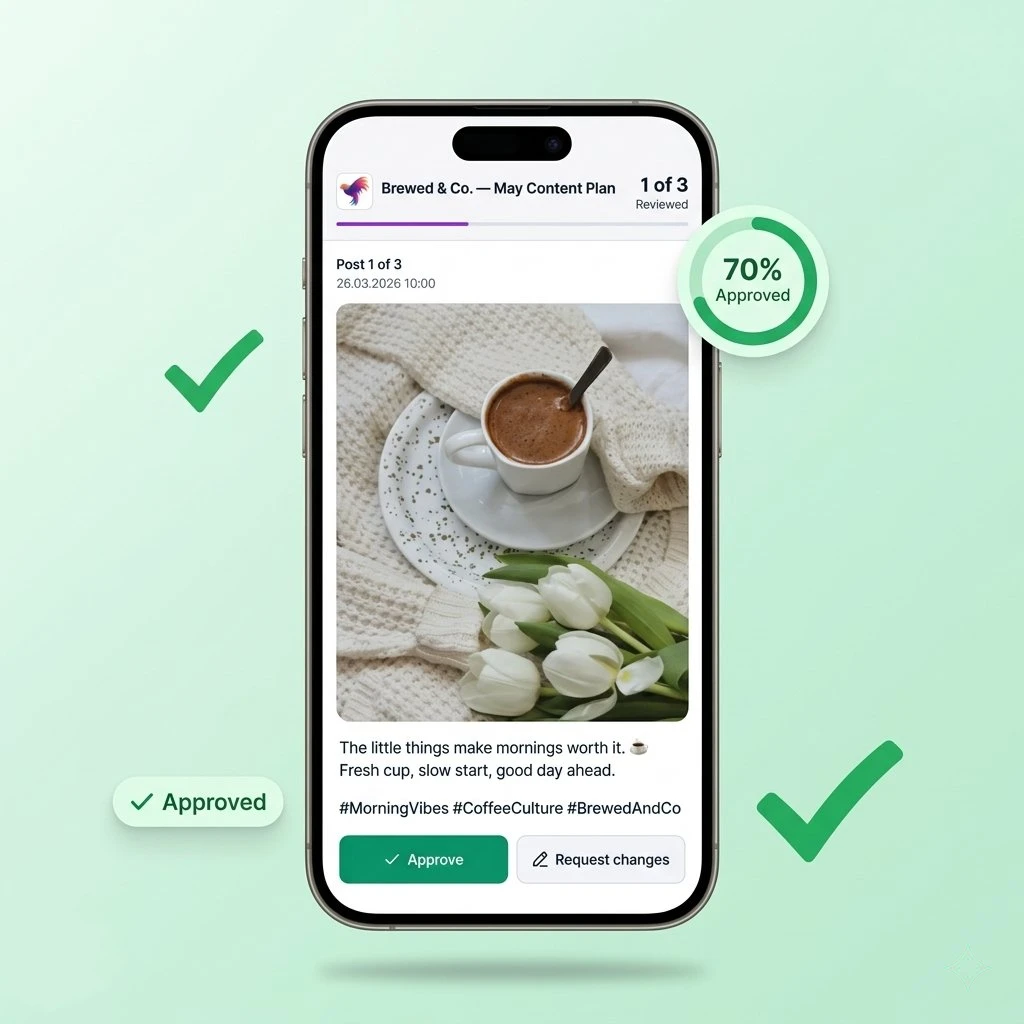
ApprovePost replaces chat threads with a simple review page. Your client opens a link, sees every post, and clicks Approve or leaves a comment.
No client signup
Your client does not need an account. They open the link and start reviewing right away.
Clear post statuses
Every post shows Approved, Pending, or Changes Requested. No guessing.
Built-in revisions
Client requests changes? Edit the post. Status resets to Pending automatically.
Three steps to client approval
No training needed. The whole flow takes under two minutes.
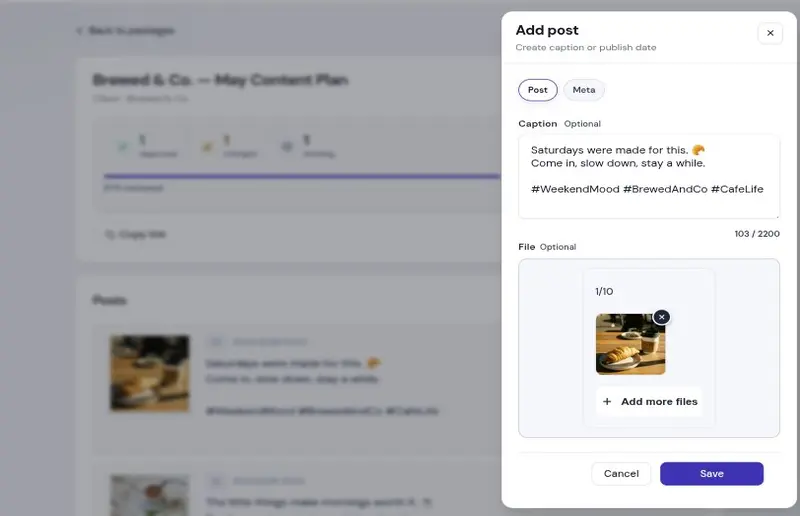
1. Create your posts
Add captions, upload images or videos. Group them into one content plan.
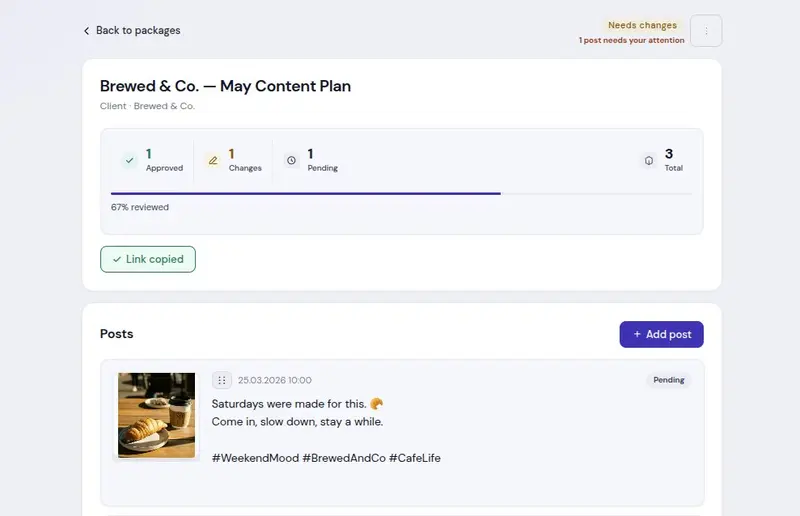
2. Share a review link
Copy a unique link. Send it to your client via email, messenger, or any channel.
3. Client reviews and approves
Your client opens the link. They approve each post or leave a comment. No account needed.
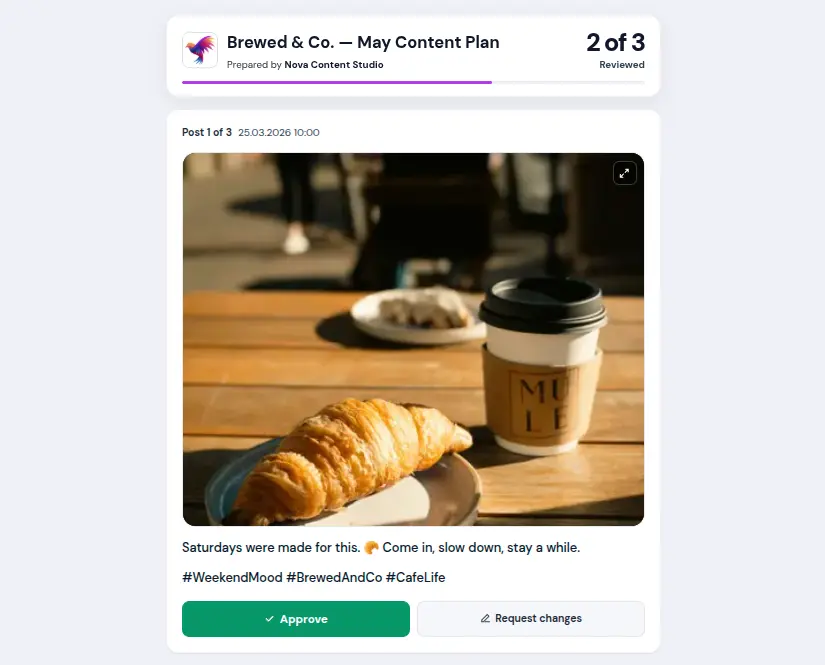
Get posts approved in minutes
Your client sees a clean page – not a wall of text in messengers
Comments per post
Feedback is attached to the exact post. No more "which one?"
Telegram alerts
Get notified when a client approves, requests changes, or comments.
Your brand on review pages
Upload your logo and accent color. The client sees your brand, not ours.
Image and video carousels
Attach up to 10 files per post. Images, videos, or both.
Secure review links
Each link has a unique token. Revoke access anytime from your dashboard.
Works on any device
Phone, tablet, or desktop. Your client reviews from wherever they are.
Stop using tools that were not built for this
Other tools
- Clients need to create an account
- Feedback scattered across chats and emails
- Complex setup, training required
- Expensive per-seat pricing
- Built for project management, not content approval
ApprovePost
- No client registration needed
- All feedback on the post itself
- Works in 30 seconds, zero learning curve
- Flat pricing, no per-seat fees
- Built only for content approval
Simple pricing. No per-seat fees.
Start free. Upgrade when you need more content plans or custom branding.
- 1 active content plan
- Up to 10 posts per content plan
- 1 file per post (no carousels)
- Client reviews without registration
- Viral card shown on final screen
No credit card required
Get started- 10 active content plans
- Up to 30 posts per content plan
- Carousels (up to 10 files per post)
- Custom branding (logo + color)
- Telegram notifications
- No viral card for clients
- Custom content plan and post limits
- Priority support with faster response times
- Custom contract terms and invoicing
We tailor Agency plans to your workflow, security needs, and rollout timeline.
Contact usPaid plans renew automatically until canceled. You can cancel anytime from your account settings or by contacting support. Refunds are handled under our Refund Policy. Checkout is provided by Paddle as Merchant of Record. By purchasing, you also agree to the Terms of Service and Privacy Policy.
Frequently asked questions
Send your first approval link today
Create a free account in under a minute. No credit card needed.
No signup needed for your client. Takes 30 seconds.